Launch Controller
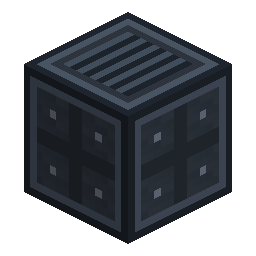
A mission-control console that builds your launch pad and flies your rocket.
Overview
The Launch Controller is a solid 3-wide × 2-tall console — a dark gunmetal chassis with a glowing, animated "computer brain" face (a live screen, projector arms, and a pulsing light band). It does two jobs from one block: build a launch pad from loaded materials, and fuel + launch a rocket parked on that pad. Place it facing an open area; it builds and oversees the pad in front of it.
Obtaining
Craft (shaped):
W R W
P C P
W R W
W = Station Wall · P = Rocket Launch Pad ·
R = Redstone · C = Comparator
Placing it forms the full 3×2 structure (it needs the room — placement is cancelled if blocked). Breaking any part removes the whole console and drops one controller.
How it works
The GUI has two modes (toggle top-right):
Build mode
- Load building blocks into the three slots: Launch Pad, Station Wall, Launch Gantry.
- Pick a target tier (T1–T4). The footprint grows per tier — T1 single pad, T2 a 3×3, T3 a 3×3 ringed with Station Wall, T4 a Heavy Launch Complex with a gantry.
- Toggle Hologram projects a ghost of the actual blocks that still need placing, beamed from the console's arms.
- Build Pad lays the formation in the world additively — promoting an existing lower-tier pad to a higher tier without tearing it down. It only places blocks you've loaded.
- A live readout shows how many Pads / Wall / Gantry are still needed, plus the controller's onboard Fuel / O₂ / Power levels.
Launch mode
- The controller carries onboard Fuel, Oxygen, and Power buffers — feed them with Universal Pipes (fluid / gas / energy layers). It pumps them into a rocket docked on the pad.
- Read the docked rocket's fuel/oxygen/power, pick its destination, and Launch straight from the console (you board as it lifts off).
Details
- ID:
nerospace:launch_controller - A 3×2 multiblock; the filler cubes are solid (you can't walk through the console).
- Capabilities (fluid / gas / energy) are exposed on the core block for pipe automation.